

Hands-on review: iPad Air M4 balances power and price
Sun, 29th Mar 2026
The iPad Air with M4 does not attempt to reinvent the hardware. It retains the flat aluminium design introduced in earlier generations. The chassis is thin at 6.1mm and remains easy to carry in either size.
Two models are available. The 11-inch version is lighter and more portable. The 13-inch model offers a noticeably larger canvas, which is useful for multitasking and creative work. The difference in screen space is immediately apparent when working across multiple apps.
Touch ID is still built into the power button. It is quick and reliable, though less seamless than face-based unlocking. Build quality is strong. The device feels rigid and well finished, with no obvious weaknesses.
Colour choices remain subtle. Blue and purple add some variation, but the range still leans towards understated finishes. Storage now starts at 128GB, which is a practical entry point.
Display quality
The display continues to use Apple's Liquid Retina LCD technology. The 11-inch panel reaches around 500 nits of brightness, while the 13-inch goes higher at 600 nits.
Colour reproduction is accurate, supported by P3 wide colour and True Tone. The laminated panel reduces reflections and improves clarity. Text and images appear sharp and consistent.
The key limitation remains refresh rate. The display is fixed at 60Hz. This is noticeable when scrolling through web pages or using a stylus. Competing devices, and Apple's own Pro models, feel smoother in comparison.
For general use, the screen performs well. It is bright enough indoors and adequate outdoors. Media playback looks clean and balanced, though contrast is typical of an LCD rather than OLED.
Performance gains
The M4 chip is the central upgrade. It brings faster CPU and GPU performance alongside a 16-core Neural Engine and increased memory bandwidth.
In daily use, performance is consistently fast. Apps open quickly and switching between tasks feels smooth. The move to 12GB of unified memory allows more apps to stay active in the background without slowdown.
The benefits are most visible in heavier workloads. Video editing, photo processing and complex creative tasks run more comfortably than before. The device handles larger files with less hesitation.
Graphics performance has also improved. Support for advanced rendering features benefits certain games and professional apps. For casual users, the difference is less obvious.
Software experience
iPadOS continues to evolve towards a more flexible working environment. The latest version introduces a revised windowing system. Apps can be resized and arranged more freely, making multitasking easier.
A new menu bar improves navigation within apps. File management has also been enhanced, with a more capable Files app and better organisation options. These changes make the device more viable for productivity tasks.
Apple Intelligence features are integrated across the system. These include writing tools, image generation and smarter search functions. They rely on on-device processing where possible, with an emphasis on privacy.
In practice, these features are useful but not essential. Their impact depends on how often you rely on text editing or creative tools.
Connectivity upgrade
Wireless connectivity has been updated with support for newer standards. This includes Wi-Fi 7 and improved Bluetooth performance. Cellular models also benefit from a newer modem with better efficiency.
The real-world impact depends on your network. Users with compatible routers will see faster speeds and more stable connections. Others may not notice a significant change.
The USB-C port supports fast data transfer and external displays. The ability to connect to a high-resolution monitor improves the iPad's usefulness as a workstation, particularly when paired with a keyboard.
Cameras and audio
The camera setup remains straightforward. A 12MP front camera is positioned on the landscape edge, which is more natural for video calls. Centre Stage keeps the subject framed automatically.
The rear 12MP camera is capable but basic. It is suitable for scanning documents or occasional photos. It is not intended as a primary camera.
Stereo speakers are tuned for landscape use. Audio is clear and balanced, making it suitable for streaming and video calls.
Accessories
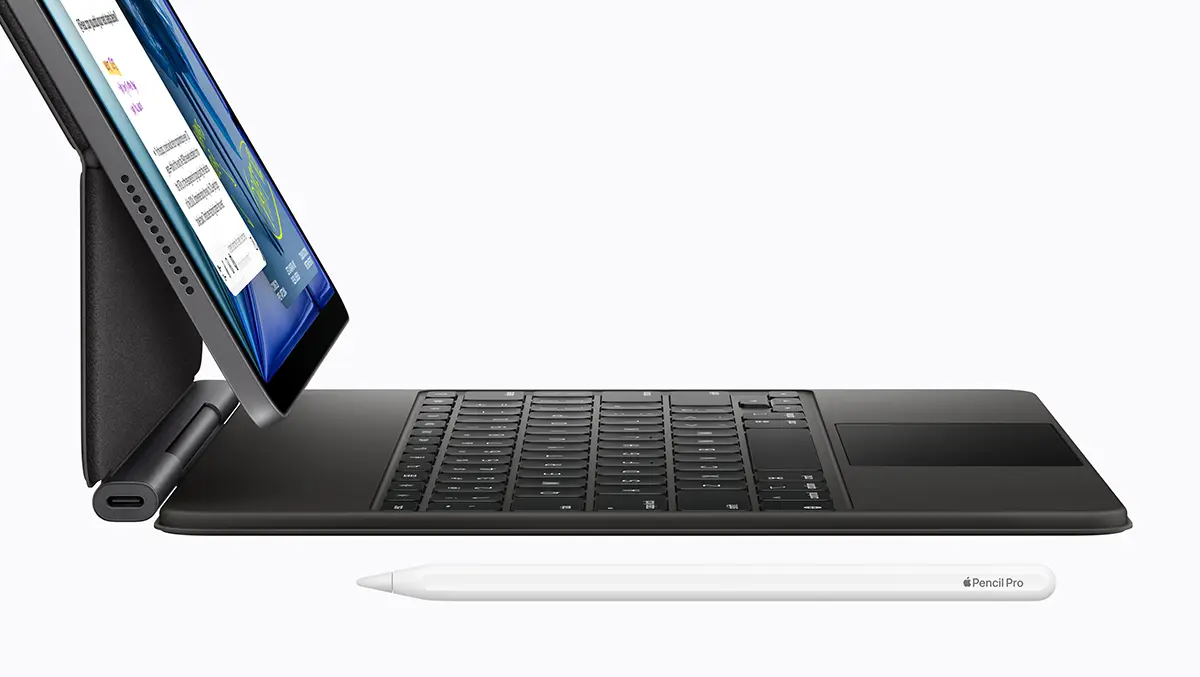
Accessories remain a key part of the iPad Air experience. The Magic Keyboard adds a trackpad and function keys, turning the device into a more laptop-like setup. It improves productivity but adds both weight and cost.
The Apple Pencil Pro introduces additional gestures and haptic feedback. It is well suited to drawing and note-taking. The standard USB-C Pencil remains a simpler alternative.
Battery life
Battery life is steady rather than improved. Expect around a full day of typical use, including browsing, streaming and light productivity. Heavier tasks will reduce runtime.
Charging speeds are unchanged. The device charges reliably but not quickly compared to some rivals.
Verdict
The iPad Air with M4 is a refinement rather than a redesign. It delivers better performance, more memory and updated connectivity, while keeping the same overall hardware.
The M4 chip provides useful headroom for demanding tasks. Software improvements make multitasking more practical. These changes strengthen its role as a hybrid device.
The display remains the main compromise. The 60Hz panel feels dated at this price. Accessory costs also narrow the gap between the Air and more expensive models.
For users upgrading from older devices, the improvements are worthwhile. For those with recent models, the differences are less pronounced. The iPad Air continues to offer a balanced mix of performance and price, with a few clear trade-offs.